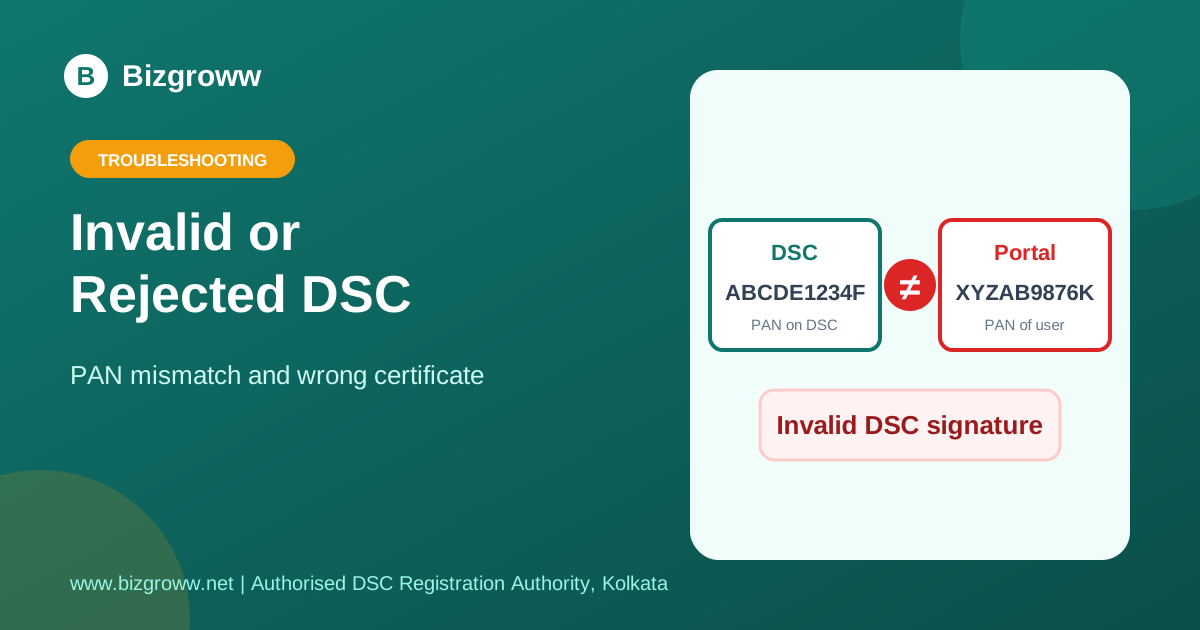
If a portal says "Invalid DSC", "DSC rejected" or "signature verification failed", it is telling you that the certificate you used does not match what it expects.
The usual reasons
- PAN or name mismatch. The DSC is in a different person's name from the logged-in user.
- Wrong certificate selected. A token can hold more than one certificate, such as signing and encryption.
- Expired or revoked DSC.
- Wrong class. The portal needs Class 3.
Fix it
- Open your token utility and check name, PAN and validity.
- Remove duplicate or old certificates from the portal registration.
- Select the active signing certificate manually when the list appears.
- If the DSC has expired, apply for a new one: see our expired DSC guide.
Still stuck? We will fix it with you
Send us a screenshot of the error on WhatsApp. Bizgroww, Kolkata — pan-India DSC support.
💬 Get help on WhatsAppFrequently Asked Questions
Can I correct the name on my DSC?
No. A DSC cannot be edited. A new certificate with the correct details has to be issued.
Which DSC class do portals require?
Class 3.
Our DSC Services
- Class 3 DSC
- DGFT DSC
- USB Token for DSC
- DSC in Kolkata
- DSC Price in Kolkata
- DSC for GST
- DSC for Income Tax
- DSC for MCA and Directors
- DSC for e-Tenders
- DSC Renewal Kolkata
- DSC in Behala
- Document Signer Certificate
- NRI and Foreign DSC
- Contact
- See full DSC price list
Related Guides
- DSC Not Detected or Not Working After Renewal: What to Do
- Forgot DSC Token PIN or Token Locked? What You Can Do
- DSC Expired? What to Do and How to Get a New One Quickly
- How to renew your Digital Signature Certificate
— Bizgroww | Authorized Registration Authority | Kolkata, India